STL Buddy LogoSTL Buddy
Designed for makers

Turn Your 2D Images into 3D Models

Instantly convert your photos and designs into downloadable STL files for 3D printing. Log in to save and manage your creations.

Download the iOS App

QR Code to download STL Buddy iOS appDownload on the App Store
A 3D rendered model of a chess piece, transitioning from a 2D line drawing to a fully formed 3D object, visually representing the app's image-to-STL conversion process.

Convert Your Images to 3D Models

Simply drag and drop your image files below to get started, or click to upload. We currently support PNG and JPG up to 10MB.

Drag & Drop your image here

or click to choose a file

PNG, JPG up to 10MB

Try STL Buddy on iOS

Scan real-world objects with your iPhone camera and convert them into 3D-printable STL files instantly. Available now on the App Store.

QR Code to download STL Buddy iOS appDownload on the App Store

See What's Possible

Explore a few of the conversions that other makers have created using STL Buddy.

Superhero Character

Source: JPG

3D Controller

Source: JPG

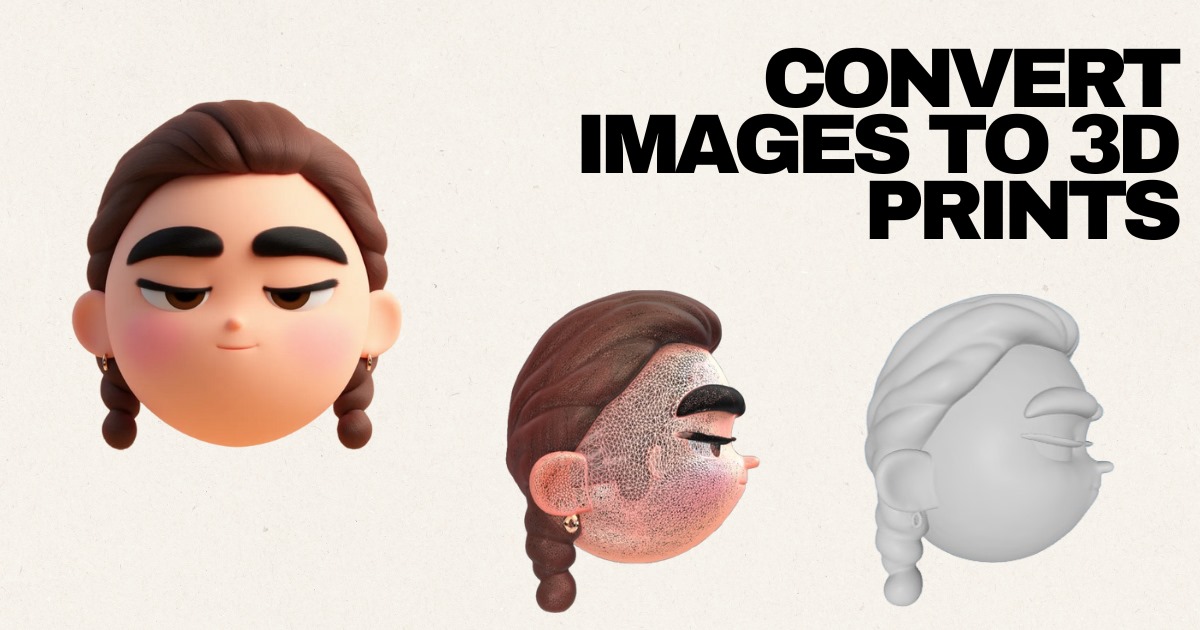
Cartoon Model

Source: JPG

Character Design

Source: JPG

Now Available on iOS

Take STL Buddy with you! Scan real-world objects using your iPhone camera and create 3D models on the go. Perfect for makers, designers, and creators.

QR Code to download STL Buddy iOS app
Download on the App Store

Scan QR code or click badge

Why Choose Our Image to STL Converter?

Delivering fast, accurate STL files for every creator

  • Fast & Free: Upload your images and get STL files in seconds with no hidden fees.
  • Browser-Based: Works instantly in Chrome, Safari, Firefox, and mobile browsers—no downloads required.
  • Smart Conversion: Preserves outlines, contrast, and depth details to deliver printable 3D models.
  • Secure Uploads: Temporary storage keeps your designs private and easy to manage.

Perfect For Creators and Teams

Tailored for rapid prototyping and experimentation

  • 3D printing hobbyists and DIY makers iterating on new ideas.
  • Graphic designers expanding flat artwork into physical products.
  • Engineers and prototypers testing STL concepts on tight timelines.
  • Educators and students exploring 2D-to-3D workflows in the classroom.
  • Anyone needing a streamlined pipeline from sketches to printable files.

Tips for the Best STL Results

Optimize your images for the cleanest conversions

  • Use high-resolution images with simple backgrounds and clear subject edges.
  • Favor strong contrast between foreground and background for accurate depth mapping.
  • Clean up noise or artifacts before uploading to reduce post-processing.
  • Test silhouettes, logos, and line art for the smoothest printable surfaces.
  • Preview the generated STL and iterate quickly to refine your design.

Frequently Asked Questions

Get quick answers to the most common questions about STL Buddy.

Ready to Turn Your Images into 3D Models?

Start converting your images now and bring your creations off the screen and into the real world!

Or download our iOS app

QR Code to download STL Buddy iOS appDownload on the App Store