STL Buddy LogoSTL Buddy
PNG to STL Converter

PNG to STL: Turn 2D Images into 3D‑Printable Models

Upload a PNG (or JPG) and instantly convert it to a 3D‑printable STL file. STL Buddy is a fast, browser‑based PNG‑to‑STL converter built for makers, designers, and 3D printing beginners.

Download the iOS App

QR Code to download STL Buddy iOS appDownload on the App Store
A 3D rendered model emerging from a flat PNG image, visually representing PNG-to-STL conversion from 2D pixels to a 3D mesh.

Convert PNG to STL in Your Browser

Drag and drop your PNG or JPG below to start converting to STL. STL Buddy runs entirely in the browser, so you can go from 2D image to 3D‑printable model in just a few clicks.

Drag & Drop your PNG image here

or click to choose a file from your device

PNG, JPG up to 10MB • Ideal for logos, icons, and simple artwork

Try STL Buddy on iOS

Scan real-world objects with your iPhone camera and convert them into 3D-printable STL files instantly. Available now on the App Store.

QR Code to download STL Buddy iOS appDownload on the App Store

PNG to STL Examples: See What's Possible

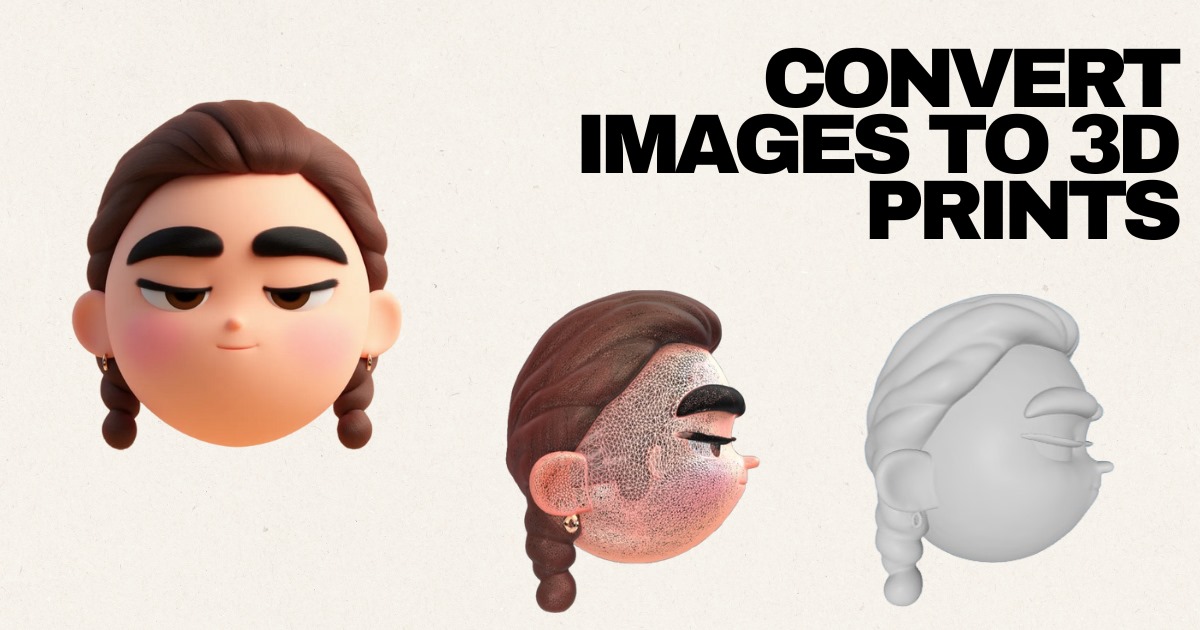
These example conversions show how flat PNG or JPG graphics can become printable STL models for logos, characters, and 3D accessories.

Superhero Character (PNG to STL)

Source: JPG

3D Controller from Flat Art

Source: JPG

Cartoon Model from PNG‑Style Art

Source: JPG

Character Design: From Flat Image to STL

Source: JPG

Now Available on iOS

Take STL Buddy with you! Scan real-world objects using your iPhone camera and create 3D models on the go. Perfect for makers, designers, and creators.

QR Code to download STL Buddy iOS app
Download on the App Store

Scan QR code or click badge

Why Use STL Buddy for PNG to STL Conversion?

A practical PNG‑to‑STL workflow for beginners, hobbyists, and small teams

  • Built for PNG to STL: Turn flat PNG or JPG images into 3D‑printable STL models without opening a full 3D CAD package.
  • Fast & Browser‑Based: No installs, plugins, or complex setup—convert PNG to STL directly in Chrome, Safari, Firefox, or mobile browsers.
  • Smart Image‑to‑3D Conversion: Our pipeline infers depth and preserves key outlines so your PNG converts into a usable 3D mesh, not just a noisy heightmap.
  • Secure, Temporary Uploads: Your PNGs and STL files are stored securely and can be cleaned up easily, so you stay in control of your assets.

Who Is PNG‑to‑STL Conversion Best For?

Common use cases we see from our users

  • 3D printing beginners who want an easy way to turn PNG logos, icons, or symbols into STL models.
  • Hobbyists and makers creating custom keychains, coasters, badges, and signage from 2D artwork.
  • Graphic designers converting flat PNG graphics into 3D assets for clients or physical products.
  • Educators and students learning how 2D‑to‑3D workflows work without needing advanced CAD skills.
  • Small businesses prototyping branded merchandise and quick product ideas from existing PNG files.

Tips for Better PNG‑to‑STL Results

Optimize your PNG before you convert it to a 3D‑printable STL

  • Start with a high‑resolution PNG with crisp edges and a simple background to avoid jagged STL geometry.
  • Increase contrast between foreground and background so the converter can infer clear depth and outlines.
  • Remove noisy textures, gradients, or artifacts in an image editor before running PNG‑to‑STL conversion.
  • Logos, silhouettes, icons, and line art generally convert to cleaner STL files than busy photographs.
  • Always preview your STL in a slicer (Cura, PrusaSlicer, Bambu Studio) and adjust scale or thickness before printing.

PNG to STL: Frequently Asked Questions

Answers to common questions about converting PNG images into STL files for 3D printing.

Ready to Convert a PNG to a 3D‑Printable STL?

Upload a PNG or JPG now and turn your 2D artwork into a real, 3D‑printable model in just a few steps—no advanced CAD skills required.

Or download our iOS app

QR Code to download STL Buddy iOS appDownload on the App Store