STL Buddy LogoSTL Buddy
Logo to STL Converter

Logo to STL — Convert Your Logo to a 3D Printable Model Online

Turn your company logo or personal brand mark into a 3D‑printable STL file in minutes. STL Buddy is a free, browser‑based logo‑to‑STL converter built for branded merchandise, desk accessories, signage, and business gifts—no CAD skills required.

Download the iOS App

QR Code to download STL Buddy iOS appDownload on the App Store
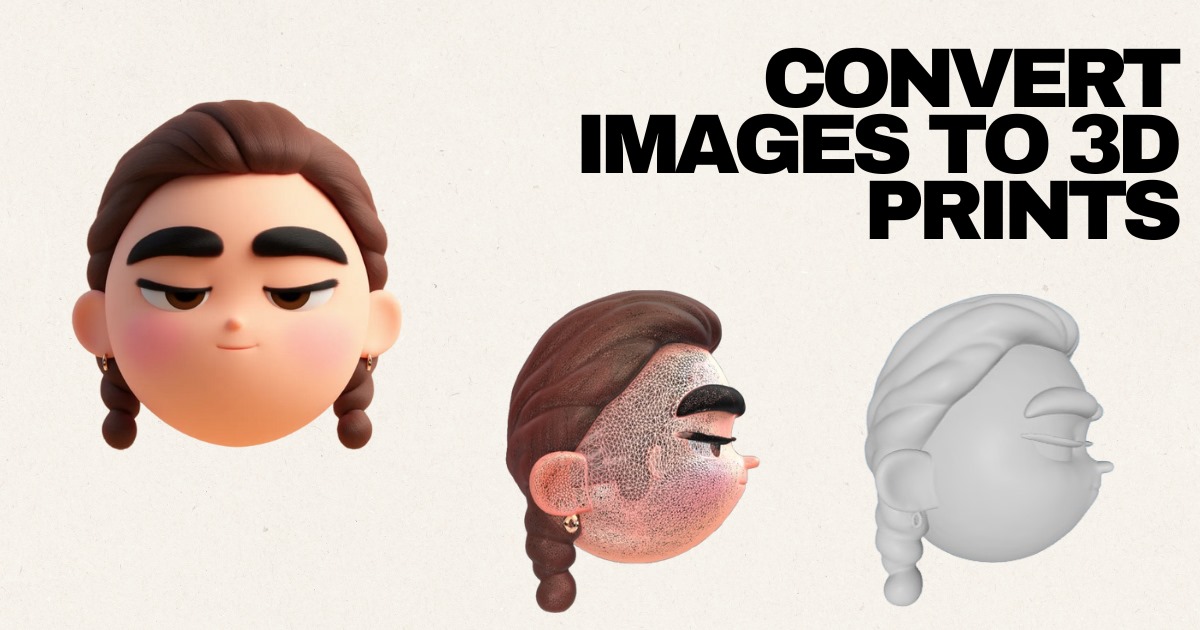
A company logo converted from a flat 2D image into a 3D printable STL model for branded merchandise.

Convert Your Logo to STL in Your Browser

Upload your logo as a PNG or JPG, and STL Buddy runs AI depth processing to generate a downloadable STL file. Image upload → AI depth processing → STL download—entirely in your browser.

Drag & Drop your logo here

or click to choose a PNG or JPG from your device

PNG, JPG up to 10MB • Best for company logos, monograms, and brand marks

Try STL Buddy on iOS

Scan real-world objects with your iPhone camera and convert them into 3D-printable STL files instantly. Available now on the App Store.

QR Code to download STL Buddy iOS appDownload on the App Store

Logo to STL Examples: Real Brand Applications

See how company logos, team badges, and personal monograms become printable 3D models for desk stands, merchandise, and event giveaways.

Company Logo Desk Stand

Source: PNG logo

Team Badge for Branded Merchandise

Source: PNG badge

Personal Monogram Gift

Source: JPG monogram

Event Giveaway Logo Keychain

Source: PNG logo

Now Available on iOS

Take STL Buddy with you! Scan real-world objects using your iPhone camera and create 3D models on the go. Perfect for makers, designers, and creators.

QR Code to download STL Buddy iOS app
Download on the App Store

Scan QR code or click badge

How to Convert Logos to 3D Printable STL Files

Three simple steps from flat logo to downloadable STL

  • Step 1 — Upload your logo: Drop a PNG or JPG of your company logo, monogram, or brand mark. Vector exports saved as PNG work best; high‑resolution raster logos are also supported.
  • Step 2 — AI depth processing: STL Buddy analyzes contrast, edges, and shape to infer depth and relief. The AI pipeline turns your flat logo into a watertight 3D mesh ready for slicing.
  • Step 3 — Download your STL: Get a printable STL file in minutes. Open it in Cura, PrusaSlicer, or Bambu Studio, scale for your application, and send to your printer.
  • No design skills needed: Skip CAD entirely. STL Buddy is built for marketing teams, small businesses, and makers who need branded 3D assets fast.

Logo to STL Use Cases

High commercial-intent applications for brand assets

  • Branded merchandise — turn your logo into 3D keychains, pins, and promotional items for trade shows and retail.
  • Custom desk accessories — print logo desk stands, pen holders, and monitor risers for office branding.
  • Company signage — create embossed logo plaques, wall mounts, and reception desk displays.
  • Personalized gifts — convert monograms and family crests into unique 3D printed presents.
  • Event giveaways — produce logo badges, tokens, and swag at scale for conferences, launches, and team events.

Preparing Your Logo for the Best STL Conversion

File format, contrast, and background tips for clean results

  • Use PNG for logos with transparency or sharp edges; JPG works for solid‑background brand marks. Export at least 1000 px on the longest side.
  • High‑contrast logos work best — dark marks on white backgrounds (or vice versa) give the AI clear edges to trace.
  • Remove or flatten complex gradients before upload; simplify multi‑color logos to bold, two‑tone versions when possible.
  • Vector source files (SVG, AI, EPS) should be exported to PNG at high resolution — vector logos produce the cleanest STL geometry.
  • Raster logos (PNG/JPG) with pixelated edges may need upscaling or re‑export from your design tool before conversion.

Logo STL Output Options

Choose the style that fits your branded merchandise or signage project.

Flat Extrusion

Uniform thickness across the logo shape. Ideal for keychains, pins, and event giveaway tokens.

Embossed Relief

Raised logo on a flat base. Perfect for desk stands, plaques, and company signage.

Detailed 3D Representation

AI-inferred depth for logos with shading or dimension cues. Best for premium branded gifts.

Scaling and Orientation for Print

Size your logo STL in your slicer before printing. Keychains and badges: 30–50 mm wide. Desk accessories: 80–120 mm. Signage plaques: 150–300 mm. Orient the logo face-up on the build plate for FDM prints, or tilt 15–30° to reduce support marks on the front surface. Add a 2–4 mm base for stability on desk stands and signage.

Materials for Printing Logo STLs

FDM Filament (PLA/ABS)

Pros: Affordable, fast, widely available. Cons: Visible layer lines on fine logo details.

Resin (SLA/DLP)

Pros: Smooth surfaces, sharp edges for small badges and monograms. Cons: Higher material cost, post-processing required.

Metal Sintering

Pros: Premium, durable finish for executive gifts and permanent signage. Cons: Expensive, requires a professional print service.

Commercial Licensing & IP Considerations

You may only 3D print logos you own or have explicit permission to reproduce. Trademarked logos — sports teams, major brands, licensed characters — require authorization from the rights holder before commercial production or distribution. STL Buddy generates STL files from your uploads; you are responsible for ensuring you have the legal right to print and sell the resulting models.

Related STL Buddy Tools

Logo to STL: Frequently Asked Questions

Answers about output styles, print sizing, materials, and commercial use of logo STL files.

Upload Your Logo and Convert to STL Now

Turn your company logo or brand mark into a 3D‑printable STL file in minutes. Free, browser‑based, and built for branded merchandise, desk accessories, and business gifts.

Or download our iOS app

QR Code to download STL Buddy iOS appDownload on the App Store